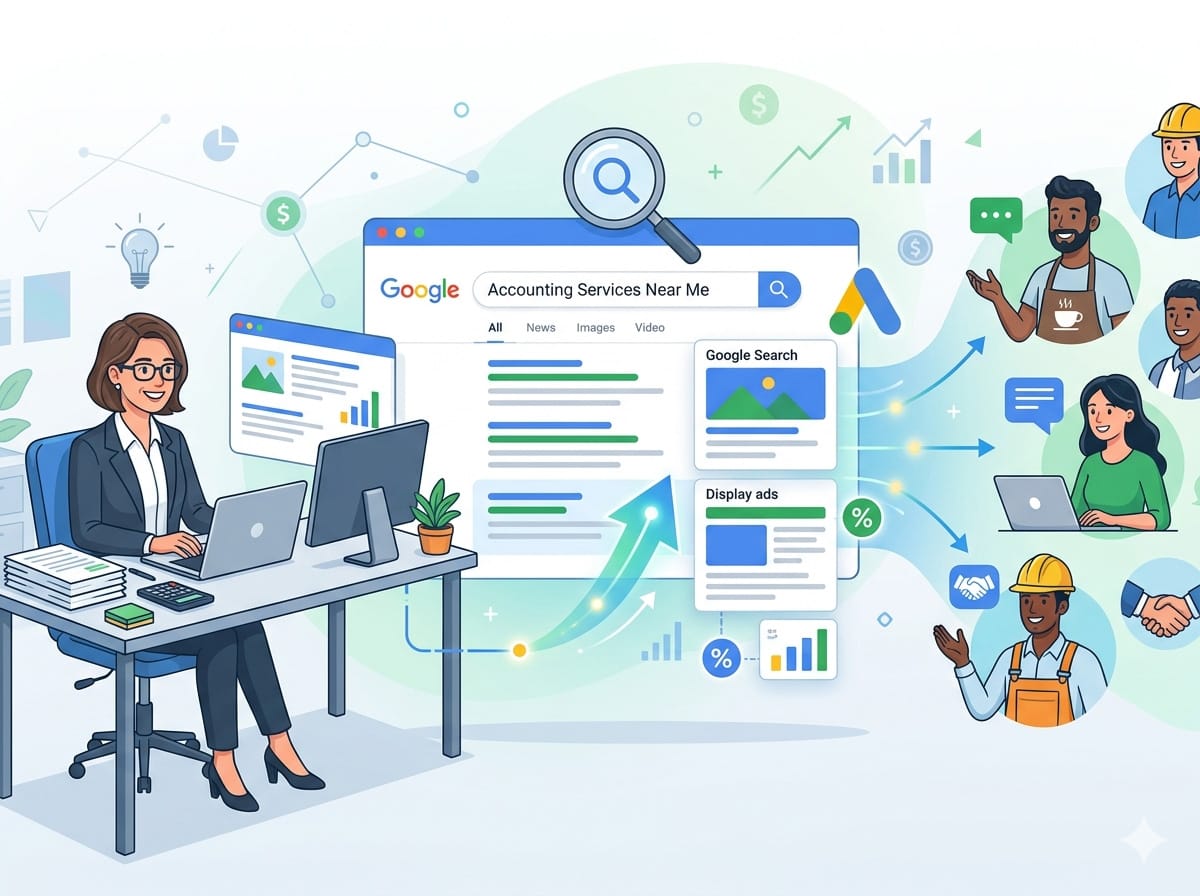
Complete PPC Playbook
The Ultimate Google Ads Guide for Accountants
Keywords, bidding, negative keywords, ad copy, budgets and tracking – everything you need to run a profitable campaign on your own.
Contents
- Why Google Ads works for accountants
- Campaign structure – the foundation
- Keywords to target
- Negative keywords – protect your budget
- Bidding strategy – spend smarter
- Writing ad copy that converts
- Ad extensions – more space, more clicks
- Landing pages – where conversions happen
- Conversion tracking – the non-negotiable
- Monthly management routine
Why Google Ads Works for Accountants
Most people searching for an accountant on Google are ready to hire. Unlike social media advertising – where you interrupt someone’s scroll – Google Ads puts your firm in front of prospects actively looking for exactly what you offer, at the precise moment they need it.
Key advantages for accounting firms
- High-intent traffic – searchers are looking to hire, not just browsing
- Local targeting – show ads only to people in your city or service area
- Full budget control – set daily limits and never overspend
- Measurable ROI – track calls, form fills, and new client revenue
- Speed – ads can appear within hours of launching
- Seasonal flexibility – ramp up before tax season, scale back off-peak
The average cost per click (CPC) for accounting keywords in the UK ranges from £2 to £15, with competitive terms like “tax accountant London” reaching £20+. Even so, a single new client worth £1,000–£5,000 per year makes the numbers work clearly in your favour.
Campaign Structure – The Foundation
A well-structured campaign is the difference between wasted spend and consistent client acquisition. The recommended structure is one campaign per service type, each containing tightly themed ad groups.
| Campaign | Ad groups inside | Why separate? |
|---|---|---|
| Tax Services | Personal tax returns, Self-assessment, Tax planning, Capital gains tax | Seasonal – peak Jan–Apr; budget needs to flex |
| Bookkeeping | Monthly bookkeeping, Xero setup, QuickBooks, Management accounts | Year-round demand; different buyer personas |
| Payroll Services | Payroll bureau, Auto-enrolment, CIS payroll, RTI filing | Steady recurring revenue; compliance angle |
| Company Accounts | Limited company accounts, Dormant accounts, Confirmation statement | High-value service; longer sales cycle |
| Business Start-Up | New company formation, Startup accountant, First year accounts | Different audience – new entrepreneurs |
| VAT Services | VAT registration, VAT returns, Making Tax Digital, VAT investigation | Compliance-driven; urgent intent signals |
💡 Pro tip: Single Keyword Ad Groups (SKAGs)
For your highest-value keywords, consider one ad group per keyword. This lets you write hyper-specific ad copy that exactly matches what was searched – dramatically improving Quality Score and reducing your cost per click.
Keywords to Target
Keyword research is the most critical step. Below are the highest-performing keyword categories for accounting firms, organised by intent and value.
High-intent service keywords
These signal the searcher is actively looking to hire. Prioritise these with your highest bids.
| Keyword | Intent level | Notes |
|---|---|---|
| accountant near me | Very High | Local intent – use with location extensions |
| accountant for small business | Very High | Broad appeal; high volume |
| small business accountant [city] | Very High | Strong commercial intent – replace [city] with your target |
| self-assessment accountant | Very High | Hire intent – not DIY; peak Jan–Apr |
| tax return accountant | Very High | Transactional – ready to hire |
| limited company accountant | Very High | Higher lifetime value client – prioritise |
| payroll services small business | High | Recurring revenue service |
| bookkeeping services [city] | High | Recurring, strong local intent |
| VAT return accountant | High | Compliance + hire intent |
| Making Tax Digital accountant | High | Forward-looking compliance searchers |
| startup accountant | Medium | New business owners – potentially long-term clients |
| R&D tax credits accountant | Medium | High-value niche – worth a dedicated ad group |
| CIS accountant | Medium | Construction industry – niche but high value |
| management accounts service | Medium | Growing SME signal – premium client type |
Pain-point & problem-aware keywords
These searchers know they have a problem but may not be ready to hire yet. Use lower bids but still worth capturing – especially the urgent ones.
| Keyword | Urgency | Ad copy angle |
|---|---|---|
| HMRC deadline missed | Urgent | Bid high – they need help now. Lead with “We can help even if you’re late.” |
| tax investigation help | Urgent | High anxiety – emphasise expertise and calm, reassuring tone |
| behind on bookkeeping | Medium | Pain point – offer catch-up bookkeeping service |
| how much does an accountant cost | Research | Price research – include pricing in ad; needs trust signals |
| accountant too expensive | Research | Price-sensitive – show value, not just price |
| unhappy with my accountant | Research | Already has one; unhappy – address switching in ad copy |
| confused by self assessment | Low | Beginner – clear, simple language works best |
| do I need an accountant | Awareness | Consider informational landing page, not a services page |
Match type strategy
| Match type | Syntax | When to use |
|---|---|---|
| Exact Match | [accountant for small business] | Your most profitable, proven terms. Maximum control. Start here. |
| Phrase Match | “tax accountant London” | Good mix of reach and relevance. Solid default starting point. |
| Broad Match | accountant small business | Only after 30+ conversions. Google needs data to use it sensibly. Always pair with tight negatives. |
✅ Starting recommendation
- Launch with Phrase Match and Exact Match only
- Add Broad Match only after 30+ conversions – Google needs data to optimise it
- Review your Search Terms report weekly and mine it for new Exact Match additions
Negative Keywords – Protect Your Budget
Negative keywords prevent your ads showing for irrelevant searches. This is one of the highest-ROI activities in account management. Without a strong negative list, an accounting firm will burn 20–40% of its budget on junk traffic.
Jobs & employment terms – block all of these
Job seekers will never become clients.
DIY & self-service terms – block all of these
People who want to do it themselves will not pay you.
Software & technology terms
Informational / research terms
🔁 Negative keyword maintenance routine
- Weekly (first 3 months): Review Search Terms report, add new negatives
- Monthly (ongoing): Audit Search Terms – Google’s matching evolves
- Quarterly: Check nothing is blocking good traffic by mistake
- Tip: Sort Search Terms by Impressions descending – biggest waste is at the top
Bidding Strategy – Spend Smarter
Google’s bidding options can be overwhelming. Here is a clear, stage-by-stage approach for accounting firms running their own campaigns.
The three stages of bidding
Stage 1 · 0–30 conversions
Manual CPC
Full control while gathering data. Set bids manually per keyword and adjust weekly based on performance.
Stage 2 · 30–100 conversions
Maximise Conversions
Let Google optimise spend towards conversions. You’ve proven the campaign works – now scale it.
Stage 3 · 100+ conversions
Target CPA
Tell Google exactly what you want to pay per lead. Requires solid conversion data to function well.
Starting bids – Manual CPC benchmarks (UK)
| Keyword category | Starting bid | Expected position |
|---|---|---|
| accountant [major city] | £4.00 – £8.00 | Top 3 |
| small business accountant | £3.00 – £6.00 | Top 3 |
| self-assessment accountant | £3.50 – £7.00 | Top 3 |
| bookkeeping services [city] | £2.00 – £4.00 | Top 3 |
| payroll services | £2.00 – £4.00 | Top 3 |
| tax accountant | £4.00 – £9.00 | Top 3 |
| VAT accountant | £2.50 – £5.00 | Top 3 |
| limited company accountant | £3.00 – £6.00 | Top 3 |
Bid adjustments
Bid adjustments let you pay more or less based on context. These are essential for efficiency.
| Factor | Adjustment | Reason |
|---|---|---|
| Mobile devices | +20% to +40% | Most accounting searches happen on mobile, especially for local intent |
| Desktop | Baseline (0%) | Good for complex B2B searches |
| Tablet | −20% | Typically lower conversion rates for service businesses |
| Your city centre | +30% to +50% | Your core market – pay more to be #1 |
| Surrounding areas (5–10 miles) | +10% to +20% | Still strong intent |
| Mon–Fri, 6pm–9pm | +10% to +20% | People research after work |
| Midnight–6am all days | −100% (exclude) | Near-zero conversions – save the budget |
Target CPA – calculating your number
Daily budget guidance by market size
| Market size | Daily budget | Monthly spend |
|---|---|---|
| Small town / rural | £10 – £20/day | £300 – £600/month |
| Medium town / suburb | £20 – £40/day | £600 – £1,200/month |
| Major city (Manchester, Birmingham etc.) | £40 – £80/day | £1,200 – £2,400/month |
| London | £80 – £200/day | £2,400 – £6,000/month |
📅 Tax season budgeting (January–April)
- Double your normal budget from 1 January through 31 January (UK self-assessment deadline)
- Searches for “self-assessment accountant” spike 400%+ in January
- Consider a separate Tax Season campaign with its own budget to prevent it consuming your evergreen campaign
Writing Ad Copy That Converts
Google Responsive Search Ads (RSAs) let you write up to 15 headlines and 4 description lines. Google tests combinations automatically. Write at least 10 headlines using these proven formulas.
| Formula | Examples |
|---|---|
| Service + Location | Accountants in Bristol | Small Business Accountant Manchester |
| Benefit-led | Save Tax Legally | Fix Your Books in Days | Stress-Free Accounts |
| Social proof | 500+ Local Businesses Trust Us | Rated 5 Stars on Google |
| Urgency / Seasonal | January Tax Deadline – Act Now | File Before 31st Jan |
| Price transparency | From £50/Month | Fixed Fee Accounting | No Hidden Costs |
| Qualification signals | Certified Chartered Accountants | ICAEW Registered Practice |
| Pain point relief | Late with HMRC? We Can Help | Behind on Books? Call Us |
| CTA headlines | Get a Free Consultation | Call for a Free Quote | 1st Month Free |
| Dynamic Keyword Insertion | {KeyWord:Accountant in [City]} – auto-inserts search term |
Sample high-performing description lines
Description examples
- We handle your accounts, tax returns, bookkeeping and payroll so you can focus on growing your business. Fixed monthly fees, no surprises.
- From self-assessment to limited company accounts – our friendly local accountants take care of everything. Free quote, no obligation.
- Stop worrying about HMRC deadlines. Our team has helped 300+ businesses stay compliant and pay less tax. Get in touch today.
- Transparent fixed fees, dedicated accountant, same-day responses. See why we’re the top-rated accountants in [City].
Ad copy rules
- Include your city name – “Accountant in Bristol” beats “UK Accountant”. Local trust matters.
- Lead with the benefit, not the feature – Not “We offer bookkeeping” but “Never stress about your books again”.
- Include a specific number – “150+ clients” or “from £50/month” is more credible than vague claims.
- Match your landing page headline – Ad headline and page H1 should align closely. Google rewards this with higher Quality Scores.
- Always include a CTA – “Get a Free Quote”, “Call Today”, “Claim Free Consultation” – always tell them what to do next.
- Use Dynamic Keyword Insertion – {KeyWord:Default} automatically inserts the searcher’s query, boosting relevance.
Ad Extensions – More Space, More Clicks
Ad extensions are free additions that take up more screen space and give people more reasons to click. They can increase click-through rate by 10–20%. Set up all of these – they cost nothing extra.
| Extension type | What to include |
|---|---|
| Sitelinks | Services · Pricing · About Us · Free Consultation · Testimonials · Contact |
| Callouts | No Hidden Fees · ICAEW Registered · Same-Day Response · Free Initial Consultation · Xero Certified |
| Structured Snippets (Services) | Tax Returns, Bookkeeping, Payroll, VAT Returns, Company Accounts, Management Accounts |
| Call Extension | Your main phone number – enables click-to-call on mobile. Schedule: business hours only. |
| Location Extension | Link your Google Business Profile – shows your address and map pin directly in the ad. |
| Lead Form Extension | Capture name, email and service interest without the person leaving Google – great for free consultation offers. |
| Price Extension | Self Assessment: from £150 · Monthly Bookkeeping: from £75 · Payroll: from £25/month |
| Image Extension | Professional photo of your team or office – stands out significantly on mobile. |
Landing Pages – Where Conversions Happen
Your ad gets the click. Your landing page gets the client. A generic homepage will waste your ad spend. Build dedicated landing pages for each major service.
Must-have elements on every PPC landing page
- Headline matches the ad – If the ad says “Small Business Accountants in Manchester”, the page H1 should say the same thing.
- Clear value proposition above the fold – What you do, who you help, and why you. Visible without scrolling.
- Prominent phone number and contact form – Both options. Some people call; some fill forms. Phone must be clickable on mobile.
- Social proof – Google review stars, client testimonials, number of clients served, years in business.
- Trust signals – ICAEW/ACCA/AAT logos, accreditation badges, professional indemnity insurance.
- Simple form (5 fields max) – Name, phone, email, and “What do you need help with?” is enough. Every extra field kills conversions.
- No navigation menu – Remove the header menu from PPC landing pages. Every link is a potential exit. Keep visitors focused.
- Fast load speed – Check at Google PageSpeed Insights. Target 80+ on mobile. Slow pages lose leads and increase CPCs.
📄 Recommended landing page structure
- /ppc-tax-returns/ – for all tax keyword campaigns
- /ppc-bookkeeping/ – for all bookkeeping campaigns
- /ppc-payroll/ – for payroll campaigns
- /ppc-company-accounts/ – for limited company campaigns
Keyword → Ad → Landing Page relevance = higher Quality Score = lower cost per click.
Conversion Tracking – The Non-Negotiable
Without conversion tracking, you are flying blind. You cannot know which keywords generate clients, which ads perform, or whether your campaign is profitable. Set this up before spending a single pound.
Conversions to track
| Conversion action | How to track it |
|---|---|
| Contact form submission | Thank-you page URL trigger via Google Ads conversion tag |
| Phone call from ad | Google’s call forwarding number – enable in Call Extension settings |
| Phone call from website | Google Ads phone snippet installed on your number |
| Live chat initiated | Custom event via Google Tag Manager |
| Appointment booked | Calendar tool confirmation page – thank-you page URL trigger |
Key metrics to monitor
CTR target
5–15%
Click-through rate on search ads
Quality Score target
7–10
Google’s relevance rating (1–10)
Conversion rate target
5–15%
Clicks → leads for accounting services
Impression share target
70%+
On your top keywords
✅ Conversion setup checklist
- Install Google Tag Manager on your website (free)
- Create conversion actions in Google Ads for each event above
- Test every conversion by completing the action yourself
- Import Google Analytics 4 goals into Google Ads as secondary conversions
- Enable auto-tagging in Google Ads account settings
- Set your primary conversion to “Contact form submission”
Monthly Management Routine
Running Google Ads yourself is absolutely achievable if you follow a consistent routine. Here is a proven schedule for a self-managed accounting firm campaign.
Weekly – 30 minutes
- Review Search Terms report – add new negatives, spot new keyword opportunities
- Check budget pacing – spending your full daily budget? If not, raise bids slightly
- Review top keywords – Quality Score drops? Keywords that stopped getting impressions?
- Check conversion data – leads coming in? Is tracking working?
Monthly – 1 to 2 hours
- Adjust bids – raise on top converters, lower on poor performers
- Ad review – pause underperforming ad variations, write new test ads
- Landing page check – test contact form, call tracking, page speed
- Competitor review – use Auction Insights report to see who you’re up against
- Budget review – actual vs planned; adjust for next month
- Quality Score audit – fix any keywords scoring 4 or below
Quarterly – 2 to 3 hours
- Full keyword review – add winners from search term data, remove chronic non-performers
- Landing page A/B test analysis – which variation converts better?
- Review campaign structure – do you need new ad groups for emerging services?
- Bidding strategy review – ready to progress to the next stage (Maximise Conversions or Target CPA)?
- Annual planning – map out budget changes for the coming quarter, including tax season uplift
🎯 The golden rule
Make one change at a time and wait at least 7–14 days before evaluating the impact. Google Ads needs time to adjust to changes. If you change bids, ad copy, and landing pages simultaneously, you will never know what worked.
Ready to get your first client from Google Ads?
Start with one campaign, one ad group, and your five best keywords. Master that before scaling. Consistency beats complexity every time.